


Description
MailboxAI – Webmail + AI Assistant For Perfex CRM
MailboxAI – Webmail + AI Assistant For Perfex CRM
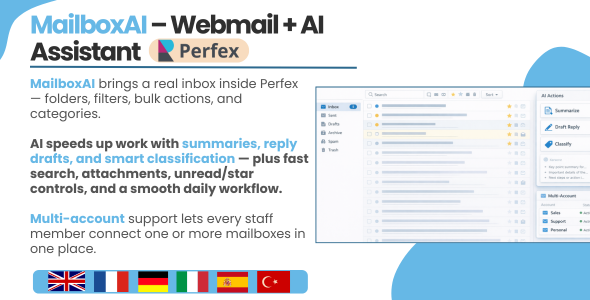
MailboxAI brings a real webmail experience directly inside Perfex CRM — so your team can read, reply, organize, and convert emails into CRM work without switching tabs all day.
You get a clean inbox UI with folders, search, filters, bulk actions, categories, drafts, scheduled emails, and a full compose/reply workflow. And when you want speed, AI features are available on-demand: summarize unread emails, suggest replies, improve writing, and classify messages — only when you click.
- Perfex-native UI: uses Perfex panels, buttons, modals, and Bootstrap styling so it looks like it belongs.
- Multi-account support: switch between mailboxes from the top selector (great for teams and shared inboxes).
- Flexible sync: cron sync, light sync, or manual sync — depending on your hosting and workflow.
- Fast inbox actions: star/unstar, mark read/unread, delete (local), attachment indicators, outgoing indicators.
- AI on demand (optional): unread summaries + reply drafts when you click (no forced automation).
Core Inbox Experience
Inbox, folders, counters
- Folders navigation: Inbox, Sent, Drafts, Trash, Spam/Junk, Archive (based on your account mappings).
- Unread & total counters: see what matters instantly (Inbox unread badge + folder totals).
- Clean email list: sender, subject, snippet, received date, attachment icon, and outgoing status.
- Sync status indicator: clear status badge with last sync date and error message (if any).
Search + filters (real-world useful)
- Search: quick search by keyword (sender/subject/snippet) so you find emails fast.
- Filters: show all / unread / starred / has attachments.
- Category filter: filter emails by category label for clean triage workflows.
✅ Bulk actions
- Mark read / mark unread in bulk.
- Star / unstar in bulk.
- Apply category / clear category in bulk.
- Delete selected (local) in bulk.








There are no reviews yet.