



Description
Interactive Map Builder for WordPress
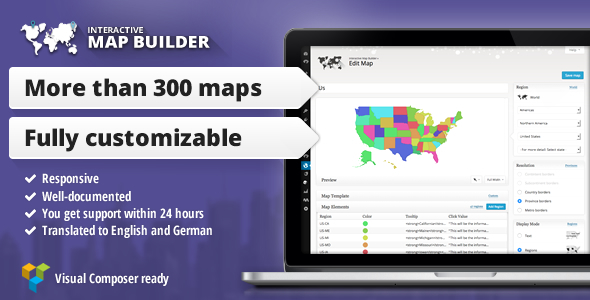
The Interactive Map Builder is a plugin for WordPress that enables you to create interactive maps for your blog. You can configure an extensive set of options to fit the look and feel of your website.
Our plugin is fully compatible with the new WordPress 6.8!
| Interactive Map Builder • | Changelog • Demo Login • Docs • Map examples |
Wide Range of Maps
There are many possible regions to display on a map. For example, you can…
- Create a map of the whole world
- Create a map of any continent .
- Create maps of subcontinents , like Western Europe or North America
- Create maps of any country . There are more than 200 to choose from. For example: USA, Canada, United Kingdom, Germany, France, Italy, Turkey, India, China,..
- Create maps of any US-State .
You can find a complete list of all available regions at the end of this page..
You can find more examples on our demo site
Border resolutions
Depending on the displayed region on the map, you can set the resolution of the maps borders. The following resolutions are available:
- Country borders are available for world, continent, subcontinent and country maps.
- State and province borders are available for almost all countries, except for some very small countries and islands.
- Metro borders are available for the US map and an US-State.
Highlight Regions or Add Markers
There are three different modes available for a map:
- Regions mode can be used to highlight countries, states/provinces and metro-areas.
- Marker mode can be used to mark designated locations using bubbles.
- Text mode can be used to mark designated locations using text.
Tooltips
Additional interactivity can be added with Tooltips . These become visible when the mouse pointer hits a highlighted region or marker. It is possible to edit the following styles:
- Change the Font
- Set another Font size
- Set another Font color
In version 2.0 we also introduced HTML tooltips. This allows you to create tooltips similar to ones from the above animation. The map builder allows to store additional CSS for these tooltips in the map template.
Map templates
Map templates allow to add special behavior to the map when a region or marker is being clicked. The plugin comes with predefined templates:
- Bars displays a small chart below the map.
- Open image opens a lightbox with images.
- Open link opens a link, when a marker, region or text is clicked.
- Open link in a new window opens a link in a new window, when a marker, region or text is clicked.
- Show HTML allows to display HTML for the clicked region, marker or text below the map.
- Show HTML (above map) allows to display HTML for the clicked region, marker or text above the map.
- Show link displays a link below the map.
- Storage example shows how the storage for click values work.
- …or create your own map template:
- Add your own JavaScript code that will be executed everytime a region or marker is clicked.
- Customize the HTML around the map
- Add your own CSS to the map




There are no reviews yet.